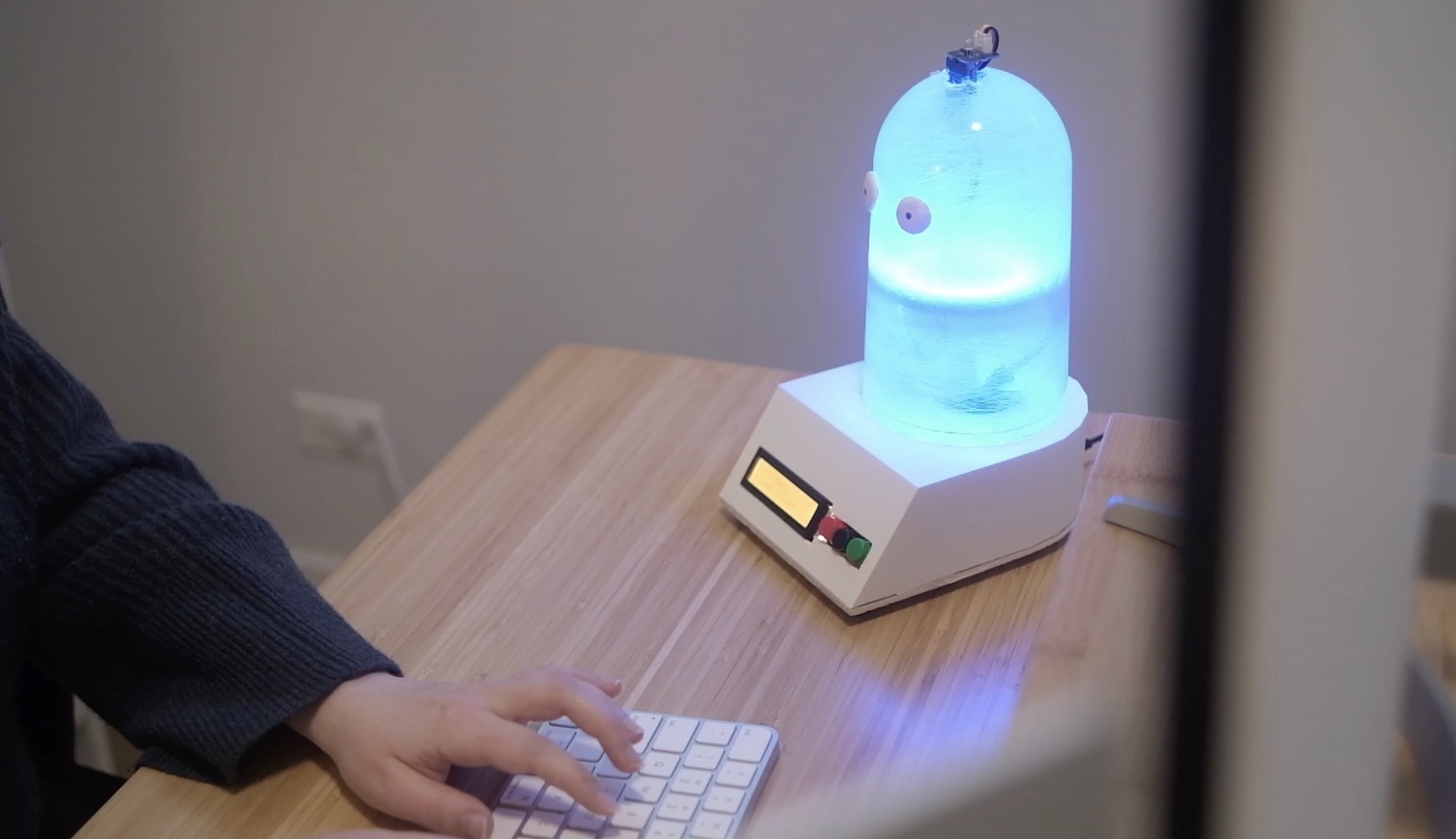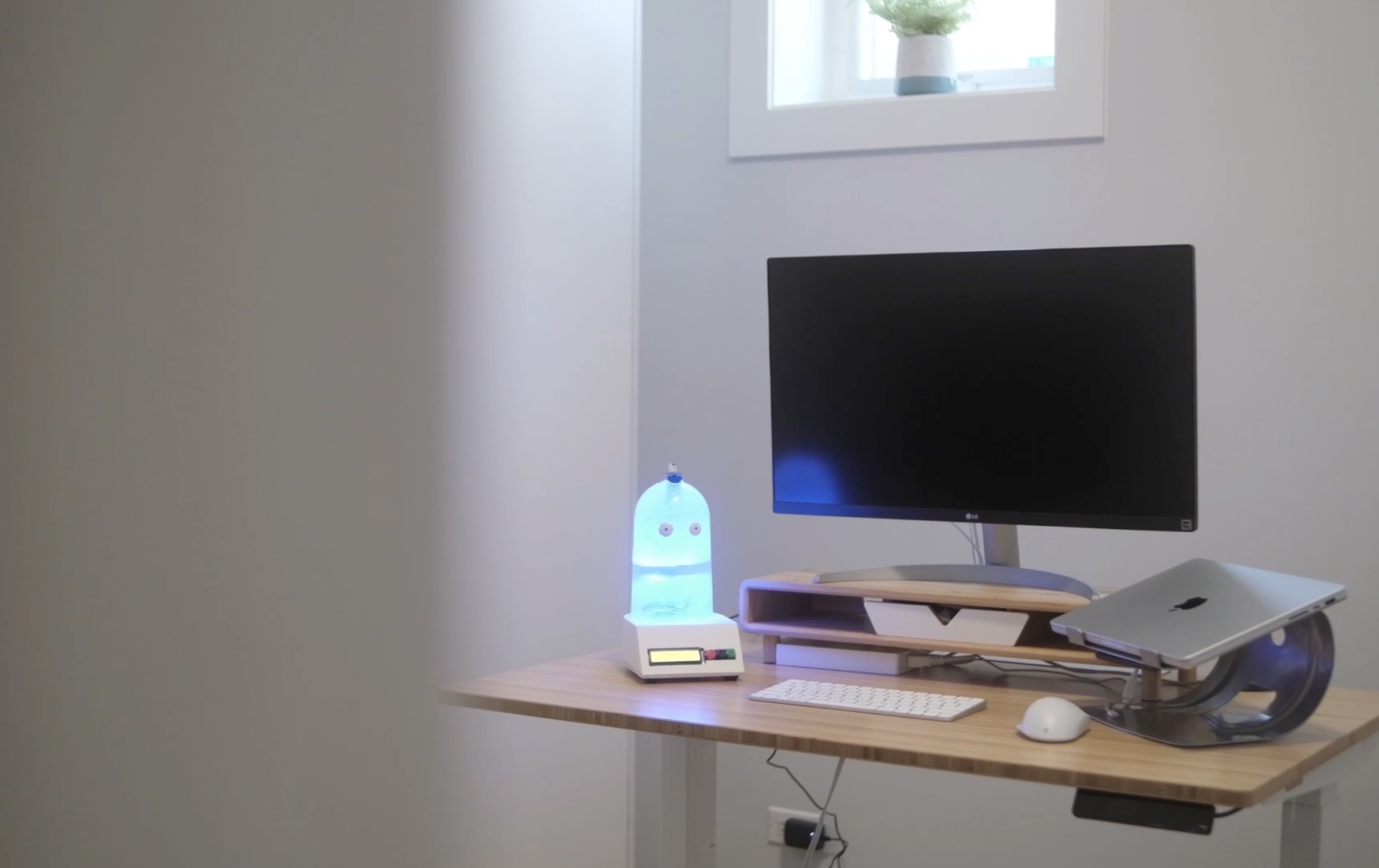
This past fall I had the opportunity to work on designing and prototyping a physical product to experiment with multimodal experience design as part of the MSHFID program at Bentley University.
The concept borrows from “rubber duck” debugging, for a desk assistant that leans into the trend for purpose-built offline products.
The problem
Modern workplaces benefit from decades of ergonomic and environmental research like space, lighting, ventilation, and productivity. Many home offices on the other hand are improvised and may suffer from poor lighting, inadequate air circulation, disruptive background noise making it difficult to maintain focus and healthy work habits.
These problems can add up over time and can diminish focus, heighten fatigue, and blur the line between personal and professional life. For those who work alone, such as remote employees, freelancers, and students, social isolation can contribute to additional stress and cause a decline in emotional well-being.
The concept
Desk Buddy is a compact desktop companion that combines environmental monitoring, focus tools, and relaxation programs into one approachable system. This device is designed to sit naturally within a home office without requiring cloud connectivity or any complex setup.
Built in features include:
Customizable ambient lighting
Focus/task timers
Breathing exercises (with light-based visualization)
CO2 level detection
White noise / coffeeshop ambience sound machine
Reactive lighting level detection
100% offline voice recognition for hands-free control
Using a wifi connected board could enable a lot more functionality - like controlling thermostat, LLM style question/answer, etc, but would also go against the premise of this project.
There are plenty of wifi home devices on the market, but they all have similar disadvantages. I wanted to embrace a more analog feeling companion that is 100% self-contained with zero privacy concerns, that requires no annoying companion app, and has an easy setup process.
The design and prototyping process
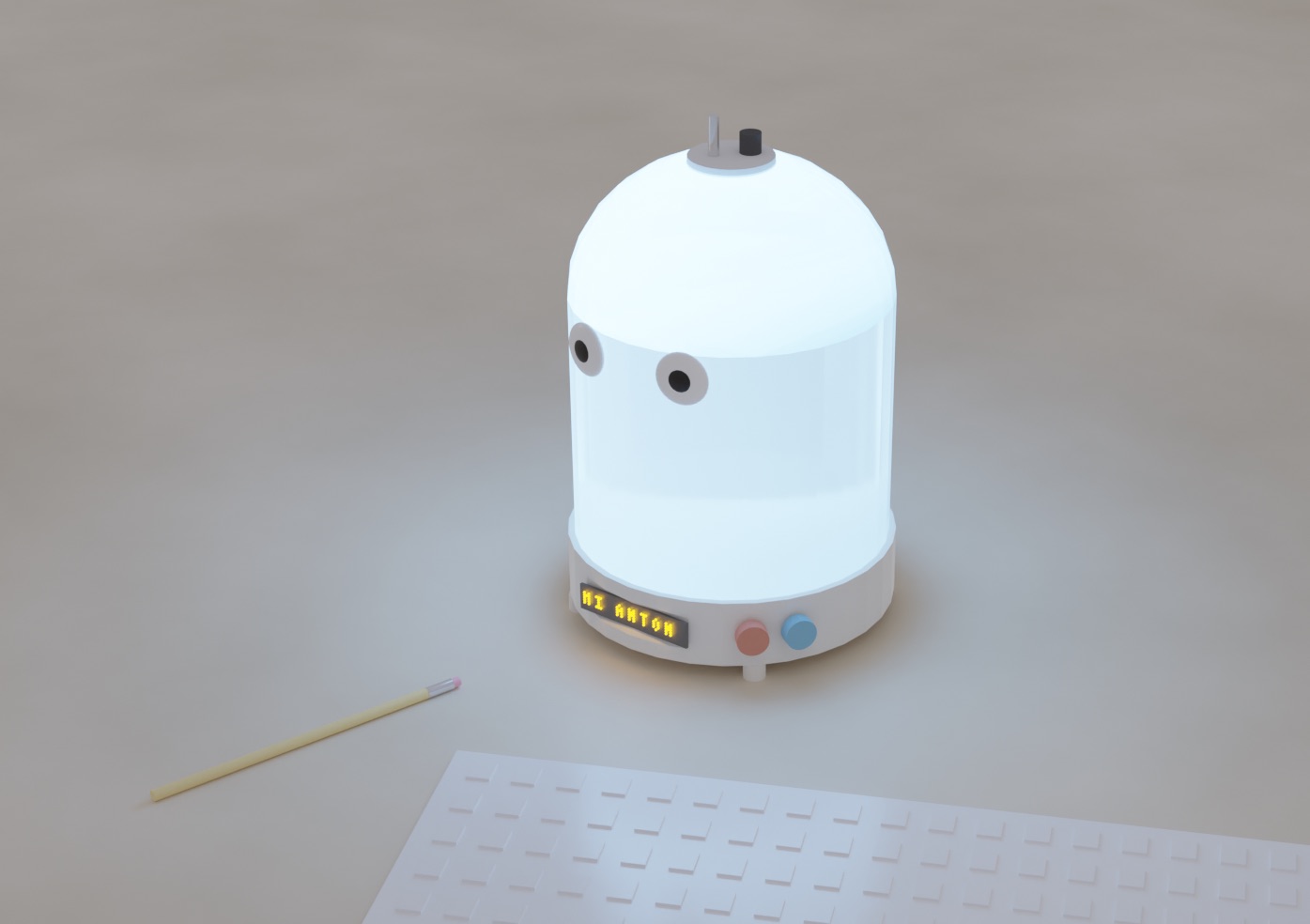
For concept renderings, I knew the style I wanted, so I hooked up Claude Desktop to Blender’s MCP server enabling me to generate a full 3D scene through prompting.
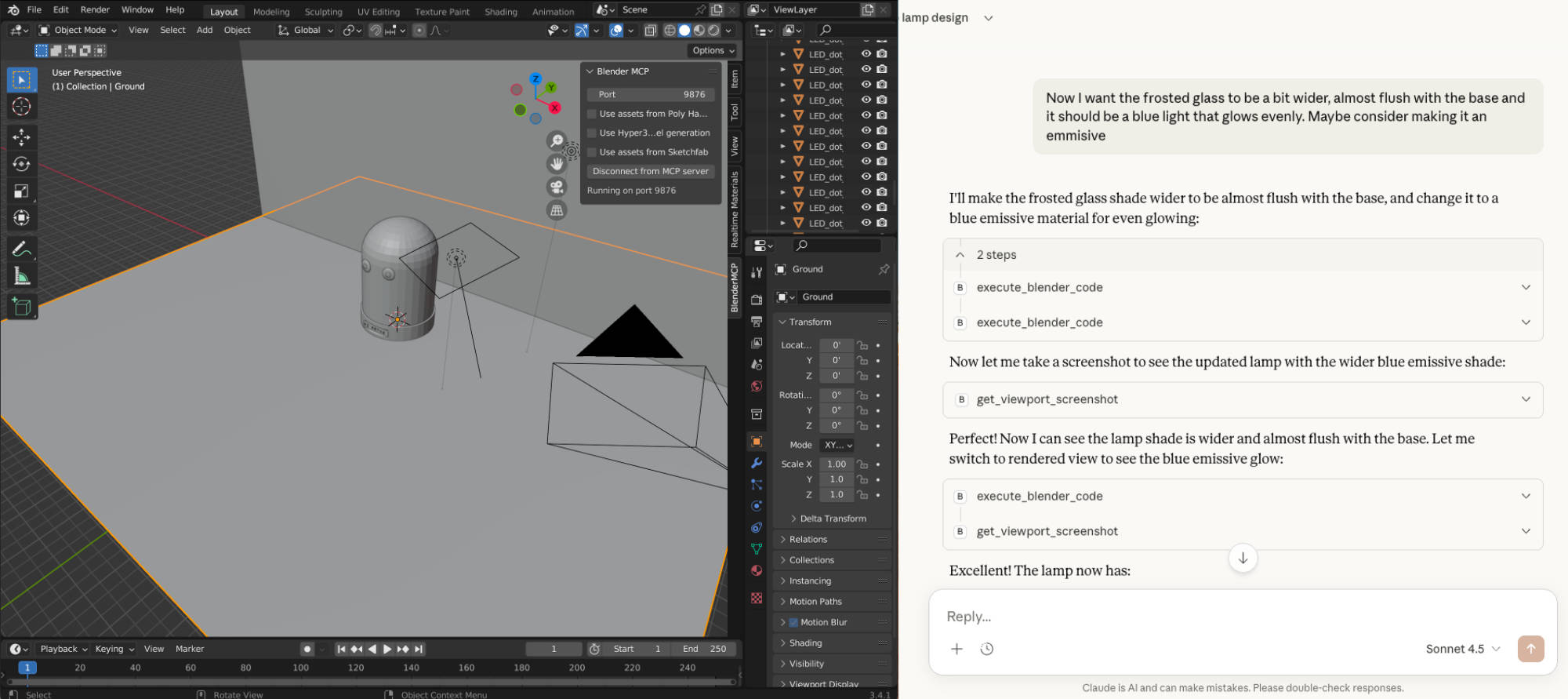
Once the basics were in place, I was able to tweak and tune textures and lighting to achieve exactly the look I wanted.
Next, I did some lo-fi foam prototyping to figure out initial dimensions and finally 3D printed a base once dimensions were locked down.
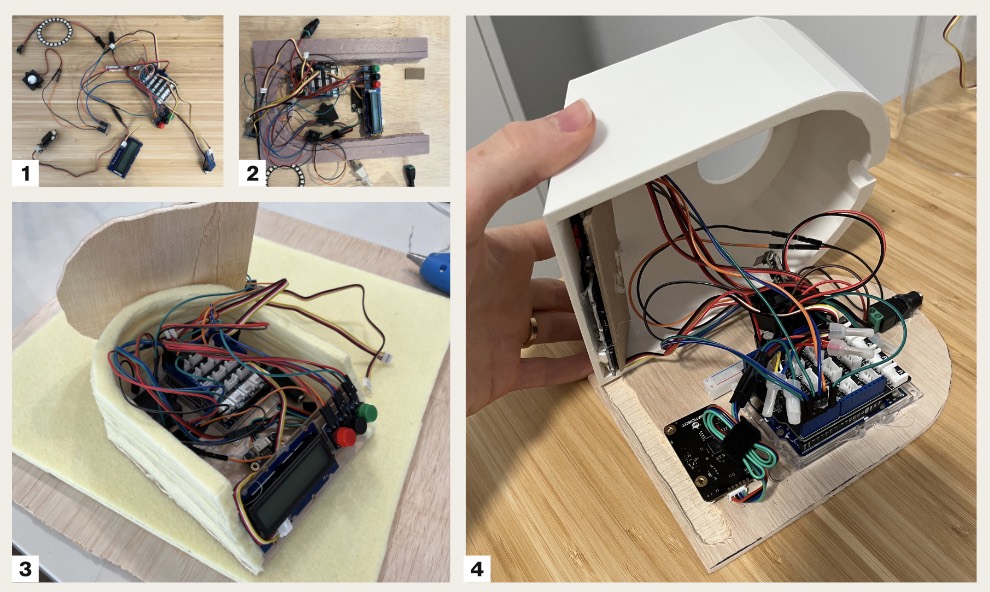
This version has a much bigger and more prominent base than my renderings to accommodate the full Arduino and breadboard, but with a custom PCB it would be achievable to get much closer to the concept rendering dimensions.

The Internals
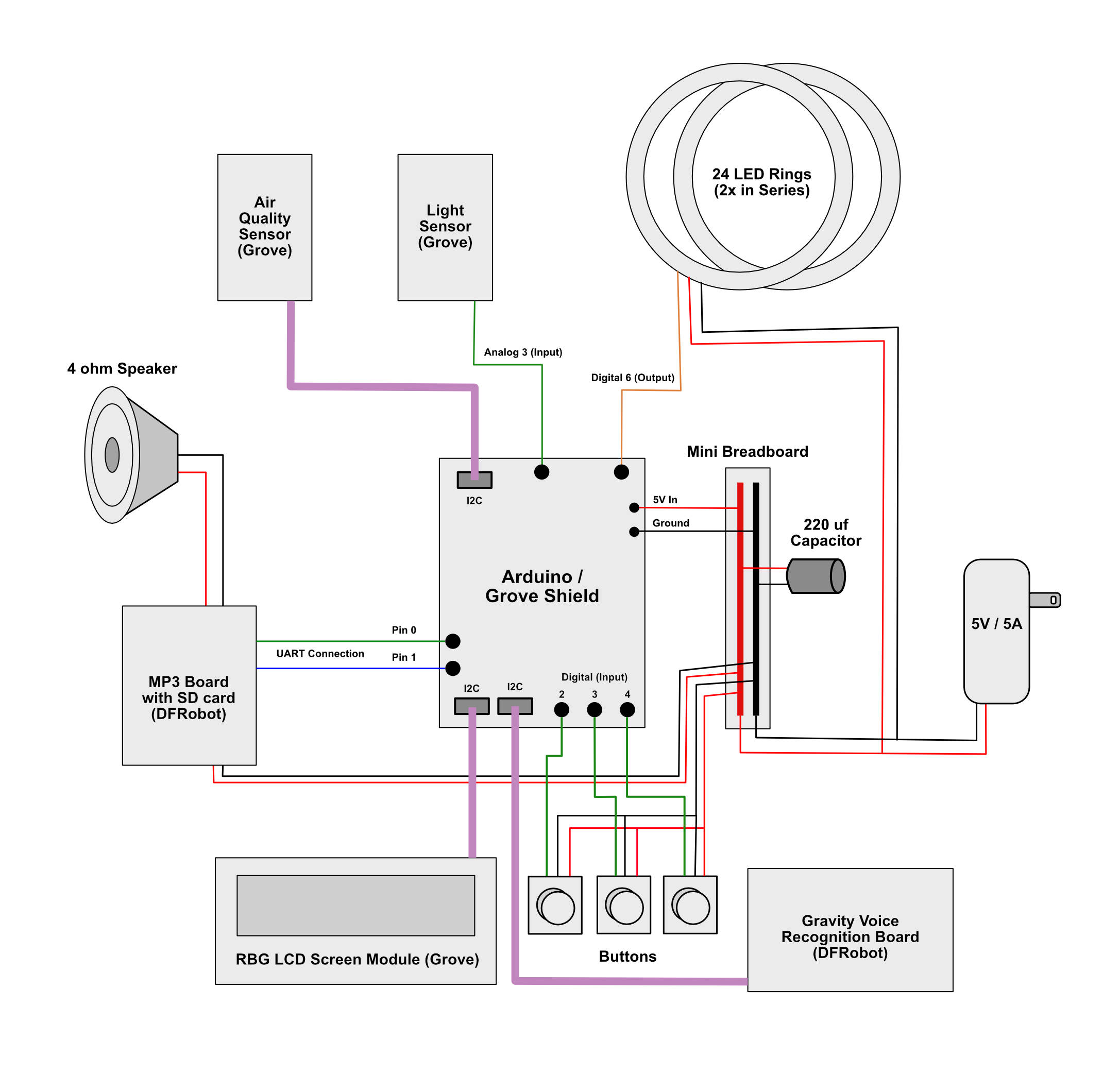
I used the Arduino R4 as the base for this project, expanded with the Grove shield that provides additional inputs and outputs.
Limitations, lessons, and future improvements
I used an offline voice recognition board from DFRobot to achieve hands free control without needing any internet connectivity. This worked quite well, though a higher-end board with custom training would certainly perform better.
My original plans also included a gesture sensor, but I ended up removing this from the final product because it started to feel like there were too many ways to access each feature and it added more confusion than value.
The prototype also uses a low-end equivalent CO2 monitor. This works well enough for demos, but to be useful in a real setting a higher end true CO2 sensor would be required.
Finally, I'd love to update the screen from a low end 16x2 LCD to a more compact, but higher resolution digital screen to enable additional design elements, like an hourglass display for task timers.